
SubSchool

Teach online without stitching together six different tools

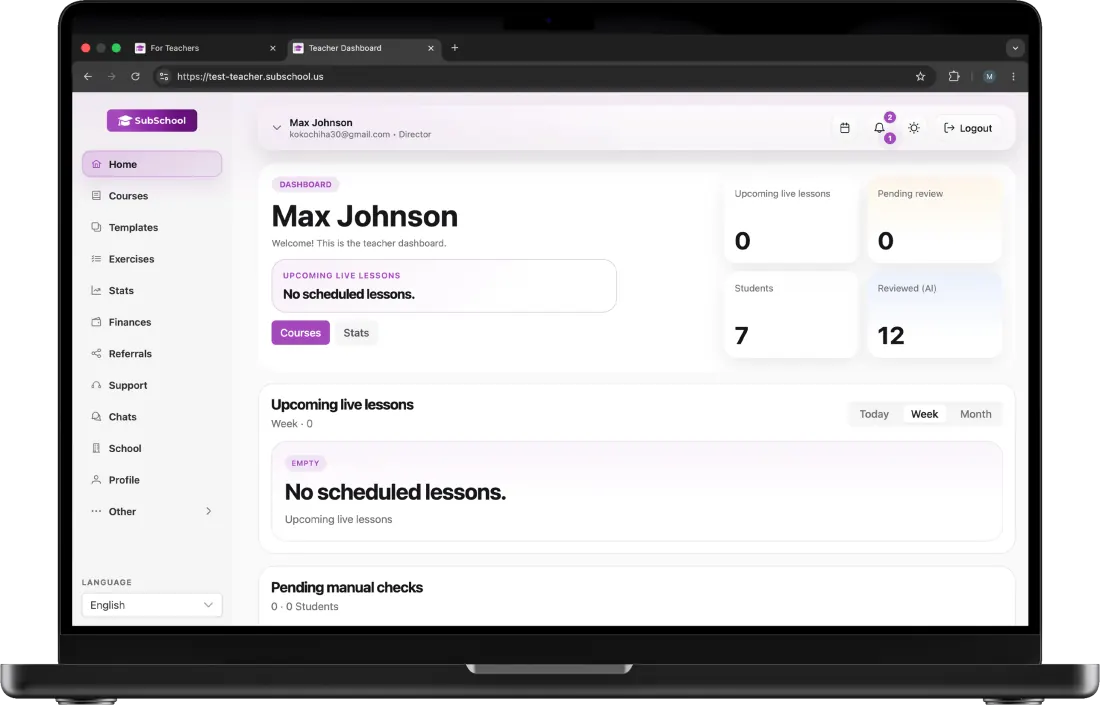
Build courses from your existing materials, run live lessons, generate practice, review student work, and sell access from the same workspace.

SubSchool teacher workspace

How it works in SubSchool

Each step stays editable, visible, and connected

Keep the result editable, connect it to learners, and preserve teacher review.

  1. 01

    Source material

    Start with a description, approved book or PDF, video library, lesson notes, or tutoring recording. Review the generated modules, lessons, objectives, and practice before publishing.

  2. 02

    Editable course

    Start with a description, approved book or PDF, video library, lesson notes, or tutoring recording. Review the generated modules, lessons, objectives, and practice before publishing.

  3. 03

    Teach

    Keep course material, live lessons, recordings, assignments, student responses, feedback, and the next teaching decision in one connected workflow.

  4. 04

    Assign practice

    Use lesson context and teacher-defined criteria to prepare follow-up work instead of starting from a generic topic label after every class.

  5. 05

    Review work

    Inspect essays, spoken interviews, photos, and presentations next to criterion-level first-pass feedback. Change the score and write the final comment yourself.

  6. 06

    Publish or sell

    Publish learning content in the marketplace, sell an individual lesson first, or keep a programme private for your own learners.

01

Put teaching context ahead of tool switching

Keep course material, live lessons, recordings, assignments, student responses, feedback, and the next teaching decision in one connected workflow.

  • Editable courses and lessons
  • Live teaching and tutoring
  • Homework, assessment criteria, and teacher correction
02

Turn material you already own into structured learning

Start with a description, approved book or PDF, video library, lesson notes, or tutoring recording. Review the generated modules, lessons, objectives, and practice before publishing.

03

Generate practice from what was actually taught

Use lesson context and teacher-defined criteria to prepare follow-up work instead of starting from a generic topic label after every class.

04

Review answers that are not multiple choice

Inspect essays, spoken interviews, photos, and presentations next to criterion-level first-pass feedback. Change the score and write the final comment yourself.

05

Choose public selling or private delivery

Publish learning content in the marketplace, sell an individual lesson first, or keep a programme private for your own learners.

Questions and limits

Common questions

Keep the result editable, connect it to learners, and preserve teacher review.

Turn the page into a real teaching workflowCreate your first course

Turn the page into a real teaching workflowCreate your first course

Continue in SubSchool

Turn the page into a real teaching workflow

Keep the result editable, connect it to learners, and preserve teacher review.