1. Understanding Your Audience
Know Your Target Students
Before you record anything, answer one question: who is this course for, exactly?
“Everyone” is how courses die quietly in a Google Drive folder.
Do this in 15 minutes:
- Student level: beginner / intermediate / exam prep / career switcher
- Goal: “pass IELTS 6.5”, “learn fractions”, “get first junior job”, “solve SAT Math faster”
- Pain points: what frustrates them today? (time, motivation, confusion, lack of structure)
- Constraints: budget, device (phone vs laptop), schedule, language, attention span
Write a one-line promise (this becomes SEO + your hero text):
- “Learn algebra fundamentals in 14 days with daily practice and feedback.”
- “Pass your entry exam with weekly live lessons + graded homework.”
2. Structuring Your Course Content
Break It Down into Modules
Students don’t buy “a course”. They buy a path.
A structure that works almost everywhere:
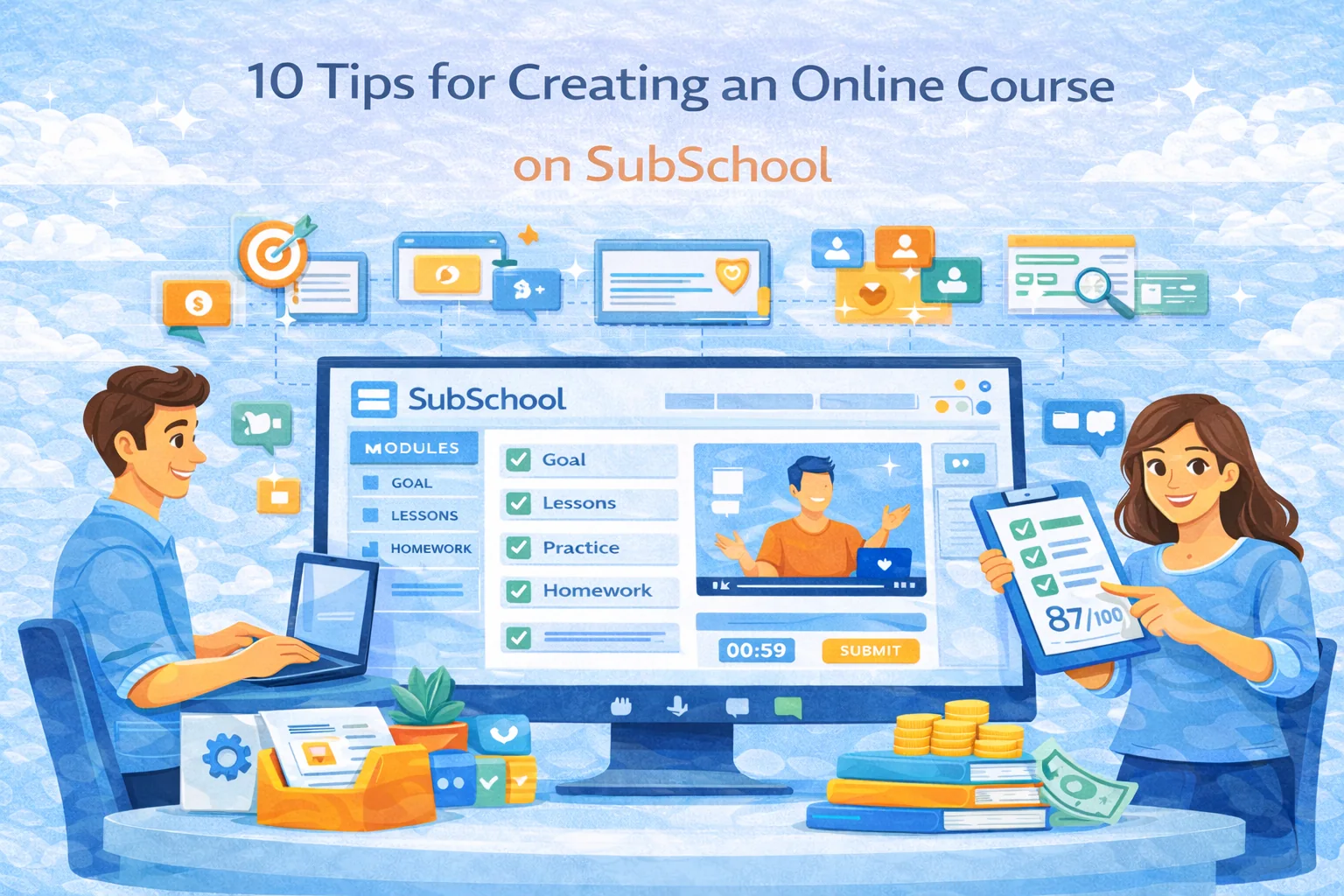
- Module 1: Foundations (quick wins)
- Module 2–4: Core skills (the real meat)
- Module 5: Practice + feedback (where progress becomes obvious)
- Module 6: Final project / exam / certification-style outcome
Inside SubSchool, keep lessons short and outcome-focused:
- 6–12 minutes video chunks (or 20–40 min live sessions)
- 1 key idea per lesson
- a simple “you can now do X” takeaway
Include Various Learning Materials
A strong online course is a mix:
- Video (explain + demonstrate)
- Text summary (scan-friendly, searchable)
- Practice (homework/exercises)
- Checks (quizzes/tests)
- Live lesson (feedback + motivation + community)
Rule of thumb:
If your course is “just videos”, students will watch… then vanish.
3. Setting the Right Pricing Strategy
Offer Different Pricing Options
Pricing isn’t math. It’s psychology + trust.
If your platform supports it (and SubSchool does), use tiers that match commitment levels:
Good pricing ladder:
- Single lesson / trial lesson (low risk, impulse-friendly)
- Full course (most people)
- Course + live sessions (premium)
- Course + feedback / mentoring (highest value)
When to price higher:
- You include regular live lessons
- You grade homework with feedback
- You prepare for a specific exam
- You provide a clear “outcome” (portfolio, certification readiness, interview prep)
Simple hack: bundle your “boring-but-necessary” lessons into a module and sell the transformation, not the syllabus.
4. Designing Engaging and Relevant Exercises
Create Thoughtful Homework Assignments
Homework is where learning becomes real. Without it, you’re basically running Netflix for knowledge.
Build exercises that match the lesson goal:
- Warm-up: 3 quick questions to confirm basics
- Core practice: 5–10 tasks (increasing difficulty)
- Challenge: 1 harder task for strong students
- Reflection: “What was hardest and why?” (gold for improving your course)
If you can reuse exercises across courses (or across lessons) — do it. It turns course building into a library, not one-off suffering.
5. Investing in Quality Visuals
Use Eye-catching Logos and Covers
People judge your course in 2 seconds. That’s not fair — but it’s reality.
Your cover should communicate:
- Subject + level (Beginner / Exam Prep / Advanced)
- Outcome (“Pass”, “Build”, “Speak”, “Solve”, “Launch”)
- Clean design (no clutter, 1–2 main colors, readable title)
Visual checklist:
- High contrast title
- One main icon/illustration
- No tiny text
- Consistent style across courses (brand memory)
6. Focusing on Interactivity
Foster Community Engagement
Students don’t just want content. They want:
- accountability
- feedback
- a feeling of progress
- someone who notices if they disappear
Add interaction that scales:
- weekly Q&A live session
- discussion prompts (“post your solution”, “share your result”)
- peer reviews (simple rubric)
- mini-challenges (“7-day streak”, “solve 10 tasks”)
Even one small interactive ritual per week can dramatically improve completion rates.
7. Offering Flexible Learning Options
Provide Self-Paced Learning Opportunities
The best online courses work for both:
- “I study at 2 AM” people
- “I need structure or I’ll quit” people
So design for both:
- self-paced lessons always available
- optional schedule: “Week 1–4 plan”
- live sessions as “boosters”, not the only way to learn
Pro move: publish a suggested weekly rhythm:
- Mon: lesson + short quiz
- Wed: practice homework
- Fri: live session / Q&A
- Sun: recap + reflection
8. Providing Clear and Timely Feedback
Use SubSchool’s Dashboard for Monitoring
Feedback is the strongest retention tool you have. Not “motivation quotes”. Actual feedback.
Minimum feedback standards:
- Reply within 24–48 hours (students interpret silence as “I’m alone”)
- Use a simple structure:
- what’s correct
- what to fix
- how to fix it (example)
- next step
Template you can reuse:
- ✅ Good: …
- ⚠️ Fix: …
- 🔧 Try: …
- 🎯 Next: …
If you do exam-prep courses: add entry + exit assessments. It increases perceived value and gives you a clean “before/after” story for marketing.
9. Paying Attention to Accessibility
Ensure Content is Accessible to All
Accessibility = more students + better learning.
Quick wins:
- captions or at least text summaries for videos
- clear fonts + good contrast
- downloadable materials in common formats
- avoid “read this tiny screenshot” syndrome
- mobile-friendly lesson formatting
Also: students learn differently. Give them options:
- watch + read + practice
- not just “watch and pray”
10. Continuously Monitor and Improve
Use SubSchool’s Statistics for Insights
Your first version will be imperfect. That’s normal. The goal is iteration.
Track a few metrics (don’t drown in dashboards):
- conversion: page views → purchases
- activation: buyers who start lesson 1
- completion: % finishing course
- drop-off point: where students stop
- homework submission rate: the real engagement signal
Then improve the biggest leak:
- If many buy but don’t start → your onboarding is weak
- If they start but quit in module 2 → pacing/complexity issue
- If they watch but don’t do homework → tasks too hard/too long/unclear
Do a monthly refresh:
- add 1–2 FAQs based on real student questions
- re-record the worst-performing lesson
- improve 1 homework set
- tighten your sales page copy
Bonus: “Before You Publish” Checklist (steal this)
- Course promise is clear in one sentence
- Modules are logical and progress from easy → harder
- Each lesson has a takeaway + action
- Homework exists and matches lesson objectives
- There’s at least one “proof of progress” moment (quiz, exam, project)
- Pricing ladder includes a low-risk entry option
- Cover/title clearly state topic + outcome
- You have a simple weekly learning plan (even for self-paced)
Conclusion
Online course creation isn’t about filming 40 videos. It’s about designing a learning experience that students can start, stick with, and finish. With SubSchool you can structure lessons into modules, add homework and assessments, run live sessions, and set flexible pricing — without turning into a part-time platform engineer.