Top Digital Teaching Tools in 2026 (and how to actually use them)
Discover the top digital teaching tools of 2026 that are transforming the educational landscape. Learn how these tools enhance learning experiences and streamline teaching processes.
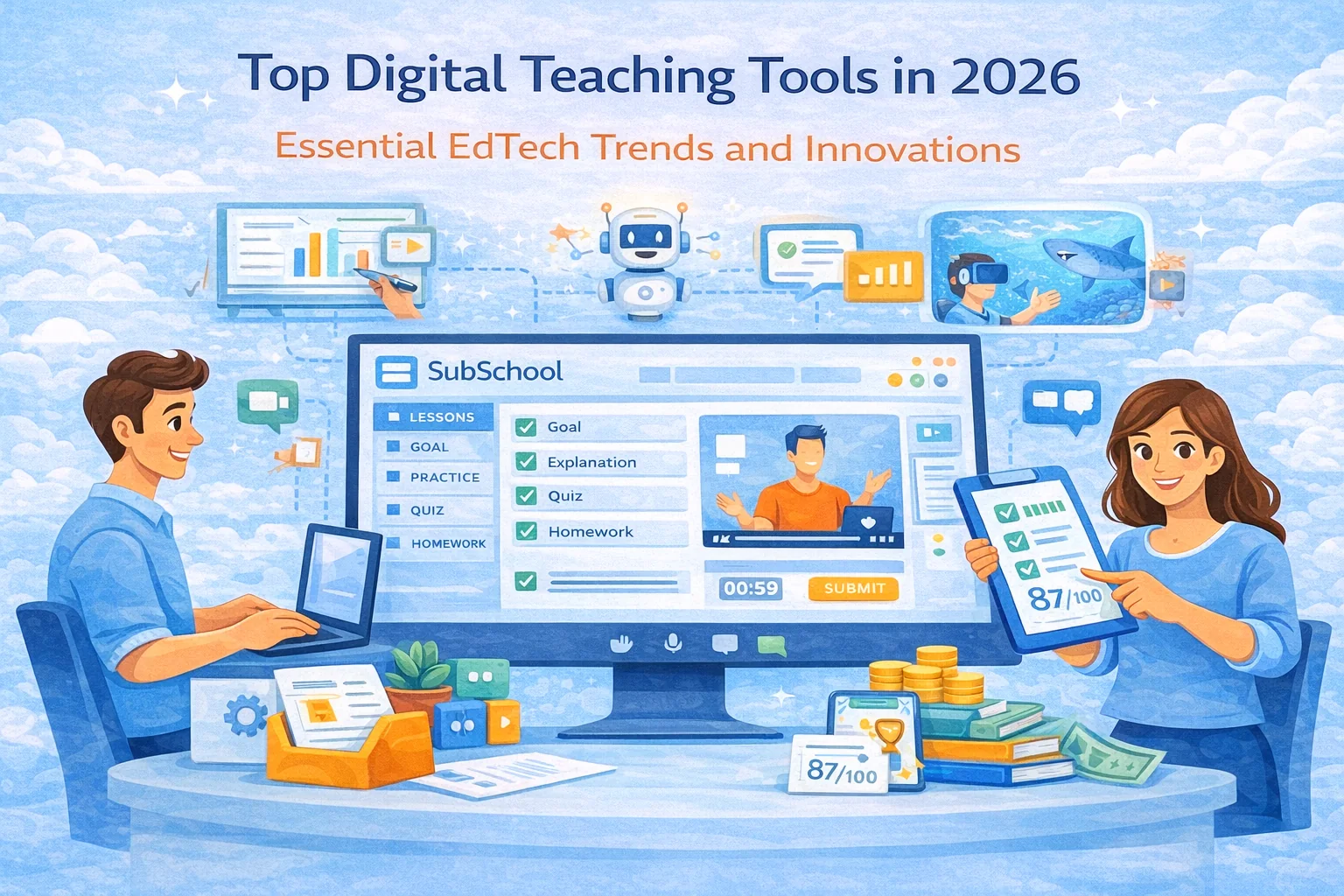
As we move into 2026, “digital teaching tools” aren’t a bonus anymore — they’re the backbone of how teachers run courses, track progress, keep students engaged, and sell learning online. The real shift is that modern tools don’t just deliver content; they run the learning loop: lesson → practice → feedback → assessment → improvement.
Below is a practical, updated guide to the most important categories of digital teaching tools in 2026, what to use them for, and how to assemble a “stack” that doesn’t turn your teaching life into 37 tabs of chaos.
Embracing the Digital Revolution in Education
Digital education matured fast because teachers needed 3 things at once:
- Speed (build lessons quickly)
- Engagement (keep attention in a screen world)
- Measurable outcomes (progress, exams, proof of skills)
And the best tools now do more than “host videos” — they help you teach like a system.
Why digital tools are essential in 2026
1) Interactivity beats “content”
Students don’t learn from watching. They learn from doing: answering, practicing, getting feedback, repeating. The best tools are designed around that loop.
2) Personalization is expected (especially with AI)
Not everyone needs the same explanation, the same homework, or the same pace. AI features in many platforms are pushing education toward adaptive practice and faster teacher workflows.
3) The business side matters
Even if you’re not “a business,” you still need:
- payments
- student onboarding
- retention
- course packaging
- proof of results
That’s why all-in-one platforms are growing fast: fewer integrations, fewer headaches.
Top digital teaching tools of 2026 (by category)
1) Learning Management Systems (LMS) + course platforms
This is your “home base”: where lessons live, students enroll, progress is tracked, assessments are stored.
Popular options:
- Google Classroom (part of Google Workspace for Education) is positioned as a centralized teaching-and-learning hub and is used at massive scale globally.
- Canvas is a widely used LMS focused on course delivery and management.
- Moodle remains a major open-source LMS option.
- And platforms like SubSchool aim at the “course creator” path: build courses quickly, run lessons (including live), manage homework, and grow into a marketplace model.
SEO keywords that match real search intent:
learning management system, online course platform, create online course, course builder, LMS for teachers, LMS for tutoring
2) Live lessons + virtual classroom tools
Live lessons are still the fastest way to build trust and keep people showing up.
What matters in 2026:
- stable video
- screen share
- chat + Q&A
- recording
- simple access from mobile
If your platform handles live scheduling + lesson structure in one place, your workflow gets 10× cleaner (this is one of the reasons “platform-first” teaching wins over “random tool pile”).
3) Interactive lesson delivery tools
These tools turn “I’m talking at you” into “you’re participating.”
Typical use:
- polls during explanation
- mini-checkpoints every 3–7 minutes
- interactive slides
- quick knowledge checks
The goal isn’t “fun.” The goal is attention + confirmation of understanding.
4) Assessment + homework + feedback systems
This category is where learning becomes measurable.
In 2026, good assessment tools support:
- question banks
- randomized variants
- auto-checking where possible
- rubrics for manual grading
- reattempts + mastery loops
Gamified quiz platforms (like Kahoot!) are still popular for engagement, and the product positioning is explicitly game-based learning.
Where SubSchool-style positioning gets strong (and SEO-friendly):
- homework management
- entry exam vs exit exam
- progress tracking
- rating / measurable learning outcomes
- This is exactly what teachers and schools search for when they care about results, not just “videos.”
5) AI-powered teaching tools
AI is now a workflow accelerator for teachers:
- generate drafts (lesson plan, quiz, homework)
- adapt difficulty
- create variants
- summarize student results
- suggest remediation paths
And big ecosystems are shipping AI directly inside education products (Google is promoting Gemini-related capabilities within the education stack).
Important: AI is only valuable if it’s tied to your course structure + your assessments + your tracking. Otherwise it becomes random text generation that doesn’t move outcomes.
6) Collaboration + community tools
A course without community often becomes “Netflix learning” (sounds productive, ends in nothing).
Good systems include:
- discussion threads per lesson/module
- peer review (structured, not chaotic)
- group work spaces
- teacher announcements + reminders
This is also a retention lever: community = reasons to return.
How these tools are changing education (the real effects)
Enhancing engagement
Not “wow animations.” Real engagement: micro-actions every few minutes, immediate feedback, visible progress.
Personalizing learning
Adaptive practice and targeted feedback are becoming standard expectations — especially in exam prep and skills training.
Streamlining admin work
Teachers don’t want 5 systems:
- one for lessons
- one for homework
- one for grading
- one for live lessons
- one for payments
They want one place where the loop runs.
The role of SubSchool in the 2026 digital education landscape
Here’s the clean way to position SubSchool without spammy repetition:
- If someone wants to create courses fast (not build a website), they need a platform-first workflow.
- If someone wants homework + exams + tracking, they need the learning loop built-in, not duct-taped.
- If someone wants to sell (and later benefit from a marketplace), they need monetization-ready infrastructure.
That’s your “why us” narrative: speed to launch + measurable learning + built for selling.
Challenges and considerations (don’t ignore these)
Keeping up with tools without tool-chaos
Rule: 1 platform as a base, and only add extra tools if they deliver a clear learning gain.
Accessibility
Captions, readable materials, mobile-friendly lessons, clear structure. Accessibility is both ethics and SEO (Google loves structured helpful content).
Balance: digital + human
Use async for scale, live for trust, exams for proof.
A simple “stack” recommendation (so teachers don’t drown)
If you’re a solo tutor
- Course platform (lessons + homework + simple exams) → SubSchool
- Live lessons (if not built-in) → 1 video tool
- One lightweight community channel (optional)
If you’re an online school
- Platform for multiple teachers + revenue split + course oversight → (your “schools” section)
- Structured exams + reporting to show results
- Content library + reusable homework
If you’re exam-prep focused
- entry exam to place level
- exit exam to prove improvement
- course rating tied to improvement delta
- This is a killer differentiator if you message it clearly.


